
AI Video Maker - Renderforest
RenderforestVideo Players & Editors
3.9480.00 Reviews
- Version
- 5.8.4
- Installs
- 1.00M
- Age Rating
- Everyone 10+
Screenshots
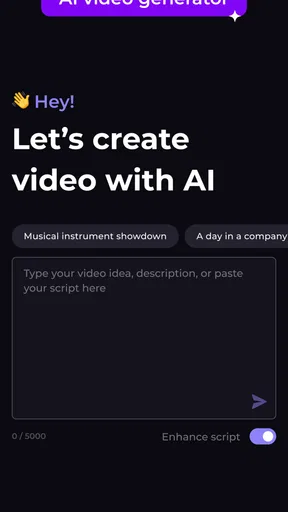
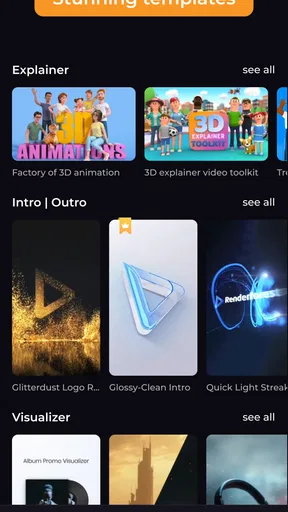
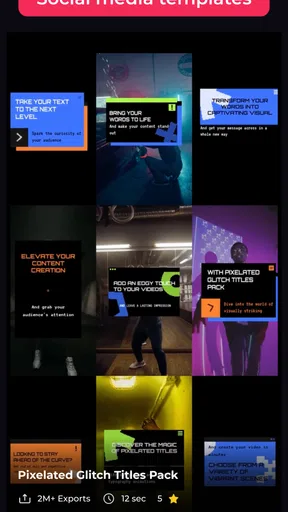
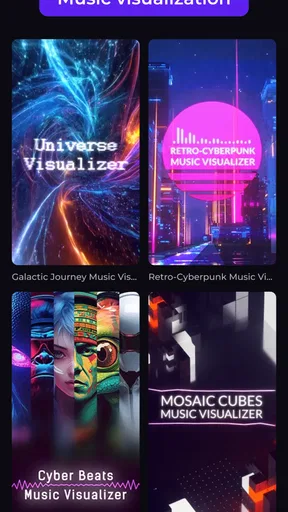
Our Review of AI Video Maker - Renderforest
 Analysis by Appyee
I judge a video-making app by what it helps me finish on an ordinary day, not just by how polished its first demo looks. AI Video Maker - Renderforest is aimed at people who want to turn photos and clips into a finished video without learning a traditional editing program. Its template-led approach makes a quick first project feel approachable, but the more useful question is whether it earns a regular place in my routine once the novelty wears off.
Getting a first project off the ground
The moment I fired up the AI Video Maker - Renderforest, I was greeted with an interface that didn’t make me feel like I needed a degree in film studies to navigate. It’s clean, intuitive, and, more importantly, welcoming for both beginners and pros alike. The app promises quick and easy video creation, and I was eager to see if it could deliver on that promise.
Why the first week feels easy
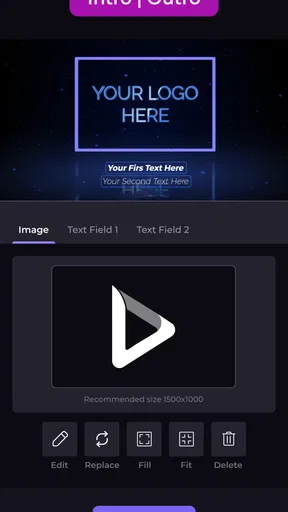
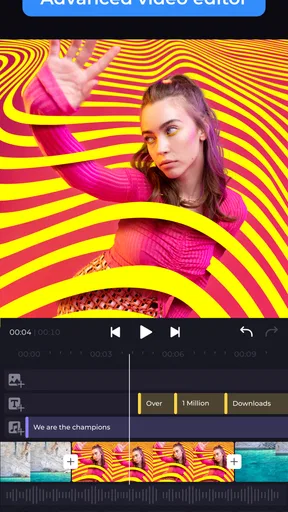
The first thing that caught my eye was the plethora of templates available. Whether you're looking to create a stunning intro, a business promo, or even a birthday video, Renderforest has got you covered. I decided to test it out by creating a travel video montage. The process was surprisingly simple: pick a template, upload your media, tweak the text, and voilà! The app uses AI to suggest edits and transitions, and I must say, the results were nothing short of impressive.
That quick start is the app’s clearest advantage over a conventional mobile editor. A timeline-based tool gives me finer control over every cut, but it also asks me to make more decisions before I have anything worth sharing. Here, the template supplies a visual direction, so I can concentrate on choosing the right moments and message. I’d reach for that approach when making a short recap for friends, a simple announcement, or a social post where a coherent finish matters more than frame-by-frame precision.
A practical way to get a better result is to sort through the camera roll before opening a project. Pick a small set of clips that already tell a story, and decide on the order you want people to see them. A template can help the pieces feel connected, but it cannot make unrelated footage feel purposeful by itself. Starting with fewer, stronger shots also makes text and music choices easier, and saves me from trying to rescue a crowded edit later.
What’s cool is the AI aspect, which feels like having a little video editing buddy guiding you through the process. It suggests the best transitions, music, and even color schemes based on your content. It's like having a seasoned editor right in your pocket.
Customization without losing the template’s structure
Now, while the templates are a great starting point, I was thrilled to discover how much customization Renderforest offers. You can tweak pretty much everything to match your vision. From adjusting the duration of clips to changing the font style and color, the app gives you the reins to craft something truly unique.
There is a useful middle ground here: keep the template’s overall visual rhythm, but change the words, clip lengths, and type choices so the result feels connected to the subject. I would avoid changing every design element simply because the controls are available. Too many competing fonts or colors can make a short video harder to follow, while a consistent look helps the footage carry the story. For a small business owner, that can mean adapting one visual style for a product announcement and a later event post without starting from a blank canvas each time.
For an everyday example, imagine I have a handful of clips from a weekend trip and want to send a compact recap to family. I’d choose the strongest establishing shot first, use close-ups or action clips in the middle, and save a final landscape view for the ending. Then I’d keep any on-screen wording brief enough to read while the video moves. That workflow plays to the app’s strengths: the template handles presentation, while I make the editorial choices that give the video a point of view.
Moreover, the app provides a rich library of royalty-free music and sound effects. Finding the perfect background score for my travel montage was a breeze, and the app’s suggestions were pretty spot on, adding just the right vibe to my video.
Music is one of the easiest places to make a template feel personal, but it is also where I’d take an extra moment before exporting. I’d listen to the chosen track alongside the actual clips rather than selecting it from its mood alone. A lively score may suit quick travel shots but can distract from a video where someone is speaking or where the natural sound matters. If the footage has an important spoken moment, I’d make sure the music does not compete with it; if the video is purely visual, a track can provide continuity between shots that were filmed at different times.
Where it fits among editing apps
Compared with the usual alternatives in video editing, Renderforest sits closer to a guided video creator than a full manual editor. That distinction is helpful when I want a presentable result quickly, especially for intros, outros, promotional clips, and short personal montages. A traditional editor is the better choice when I need exact timing, layered audio, detailed color work, or close control over every transition. I would not choose a template-first workflow for a documentary or a carefully paced interview, where small editorial decisions shape the whole piece.
It also makes sense to think about where the video will be watched before committing to a design. A title that looks clear on a phone may feel too small when viewed from farther away, while a busy composition can become difficult to read on a compact screen. I’d keep important wording short and visually simple, then review the finished video on the device or platform I care about. This is a modest check, but it can catch a mismatch between the template’s look and the way the audience will actually see it.
The app is free to start, which makes it reasonable to explore with a low-stakes personal project. It also has in-app purchases ranging from $5.99 to $179.99 per item, so I would check what a chosen project requires before building a workflow around it. The practical question is not simply whether I like the editor; it is whether the features and output I need are available on terms that make sense for how often I create videos. If I only make an occasional family montage, a paid commitment may be harder to justify than it is for someone producing regular promotional content.
Quality, performance, and the final check
One thing a lot of video apps struggle with is maintaining high quality, especially during export. I’m happy to report that AI Video Maker - Renderforest excels in this department. My videos came out crisp and vibrant, even on larger screens. Plus, the export time was surprisingly quick, which is a huge win for anyone who’s impatient like me.
Even when a video looks good in the editor, I would treat the exported file as a separate review step. Watch it through once before sharing: check that the opening gets to the point, the ending does not feel abrupt, and the text remains readable for long enough. That habit is especially worthwhile for a business clip, where a typo or a poorly timed message can make a polished design feel careless. It also helps me decide whether a template has made the footage feel more cohesive or simply more decorated.
For people wondering whether they need editing experience, I’d say no for the kind of short, template-led work this app is built around. The starting point is approachable, and adjusting text and clip duration is less intimidating than learning a complex timeline. That does not mean the app can make every creative decision for me: selecting usable footage, writing concise copy, and judging whether a music choice fits remain human tasks. The AI suggestions can guide a first pass, but I would still trust my own eye and ears for the final cut.
Sharing, collaboration, and repeat use
Once your masterpiece is ready, sharing it with the world is seamless. Whether you want to post it directly to social media or download it for later, the app gives you multiple options to get your content out there. Also, if you’re working on a project with a team, Renderforest offers collaboration features that make it easy to gather input and make collective edits.
For a recurring workflow, I’d use collaboration to settle the message and visual direction before polishing details. A teammate can help catch unclear wording or identify a clip that does not support the point, which is more valuable than collecting opinions on every tiny design choice. The trade-off is that more people can also mean more revisions. I’d agree on who makes the final call before a project grows into a string of conflicting preferences.
In month-to-month use, the app’s value depends on whether I regularly need short, finished videos. A creator who posts occasional explainers or a shop owner who shares periodic announcements may return to the template approach because it reduces the effort of getting started. Someone who only makes one video every few months may still enjoy it, but is less likely to build a habit around it. I would judge lasting usefulness by whether the workflow saves time on a real recurring task, not by how many options I explore on the first day.
What can wear thin over time
Templates are both the shortcut and the main creative constraint. They help a beginner get a coherent look, but repeated use of similar layouts can make several videos feel alike, particularly if I select designs based on appearance rather than on the story I want to tell. To reduce that sameness, I’d vary the footage, tighten the copy, and choose music with the specific mood of the project in mind. If my work depends on a highly distinctive visual identity, I’d test whether the available customization gives me enough room before relying on it for every release.
There is also a maintenance cost that is easy to overlook: choosing and preparing material. The app can streamline assembly, but I still need to find the right photos and clips, trim away weak moments, and check that the order makes sense. When I’m already organized, the process feels light; when my camera roll is a jumble, the editing stage can turn into a search task. Keeping a small folder of intended project assets before starting is a simple way to avoid that friction.
Renderforest is a video creation app from developer Renderforest, and its place among video players and editors is clear: it focuses on helping people make shareable content rather than watching media. It has a 4.0 average from around 22 thousand ratings, with over 1 million installs. Those figures suggest a widely used option, but they would not decide my choice on their own; the right fit still comes down to how much control I need and how often I plan to make videos.
The age rating is Everyone 10+, and the app is free to install. It was released on July 28, 2021, and version 5.7.0 requires Android 8.0 or later. I’d check compatibility before planning a project on an older device, and I’d remember that optional purchases can affect the cost of continued use. Those details matter most when I’m choosing an app for a family member, a shared work process, or a recurring content routine rather than testing it once for fun.
Who should keep it, and who should move on
I’d recommend giving it a try if you want guided help turning a modest set of clips into a polished short video, and you do not want to begin with a blank editing timeline. It is particularly appealing for casual creators, small organizations, and people who need a quick intro, outro, celebration video, or simple promotion. The balance changes if you need precise manual editing, a complex multi-layer project, or a look that cannot be achieved within a template-led design. In those cases, a more hands-on editor is a better fit even if it takes longer to learn.
For me, its strongest long-term case is repetition with a purpose: a familiar kind of video that I need to make again, where a faster start is genuinely helpful. Its weakest case is expecting AI suggestions to replace planning or expecting templates to make every project feel original without thoughtful choices. If I keep the scope modest, prepare the media first, and review the export before sharing, the app can make routine video creation less of a chore.
My long-term verdict
All in all, AI Video Maker - Renderforest is a powerhouse packed into a user-friendly package. Whether you’re a budding content creator or a seasoned pro, this app has something to offer. Its blend of AI technology and customizable features makes it stand out in the crowded field of video editing apps. So if you’re looking to create high-quality videos without the hassle, give Renderforest a whirl. It might just be the tool you didn’t know you needed.
My more measured recommendation is to try it on a real project you already have in mind, not on a made-up test that does not reflect your habits. If the template workflow helps you finish that video and you can see yourself using it again, it may earn a lasting spot on your phone. If you find yourself wishing for more exact control at every step, that is a useful signal to choose a conventional editor instead. For the right short-form tasks, Renderforest makes the first step easy; whether it stays useful depends on how well those tasks recur in your life.
Verdict
Strengths of AI Video Maker - Renderforest
- User-friendly interface for beginners.
- Wide variety of templates available.
- High-quality export options.
- Cloud-based, no storage required.
- Integrates well with social platforms.
Limitations of AI Video Maker - Renderforest
- Limited free version features.
- Occasional slow rendering times.
- Requires online access to use.
- Subscription can be pricey.
- Customization options are limited.
Similar Picks in This Category
View All
Google TV
Google LLC3.9

iTunes
Apple4.7

YouTube
Google LLC3.8

MX Player
Amazon Mobile LLC4.2

CapCut - Video Editor
Bytedance Pte. Ltd.3.5

PLAYit-All in One Video Player
PLAYIT TECHNOLOGY PTE. LTD.4.5
Frequently Asked Questions
What is AI Video Maker - Renderforest and how does it work?
AI Video Maker - Renderforest is a versatile application that allows users to create professional-quality videos using artificial intelligence. It offers various templates and tools to simplify video creation. Users can customize these templates with text, images, and music to generate videos for personal or business use without needing extensive video editing skills.
Is AI Video Maker - Renderforest suitable for beginners?
Yes, AI Video Maker - Renderforest is designed with user-friendliness in mind, making it ideal for beginners. The app provides intuitive features and step-by-step guidance, allowing users with no prior experience to create impressive videos. Its AI-driven templates are easy to customize, ensuring accessibility for users at all skill levels.
What types of videos can I create with AI Video Maker - Renderforest?
With AI Video Maker - Renderforest, users can create a variety of video types, including promotional videos, explainer videos, slideshows, music visualizations, and more. The app offers a wide range of templates tailored for different purposes, making it suitable for both personal projects and professional marketing needs.
Are there any limitations on video length or quality in the free version?
The free version of AI Video Maker - Renderforest does come with some limitations, including restrictions on video length and resolution. Typically, free users can create videos up to a certain duration and may only export in lower resolutions. For longer videos and higher quality, users might need to upgrade to a premium plan.
Does AI Video Maker - Renderforest support collaboration or sharing options?
Yes, AI Video Maker - Renderforest supports collaboration features and easy sharing options. Users can share their projects with team members for collaborative editing. Additionally, completed videos can be exported and shared directly to social media platforms or downloaded for offline use, facilitating seamless distribution of content.
